
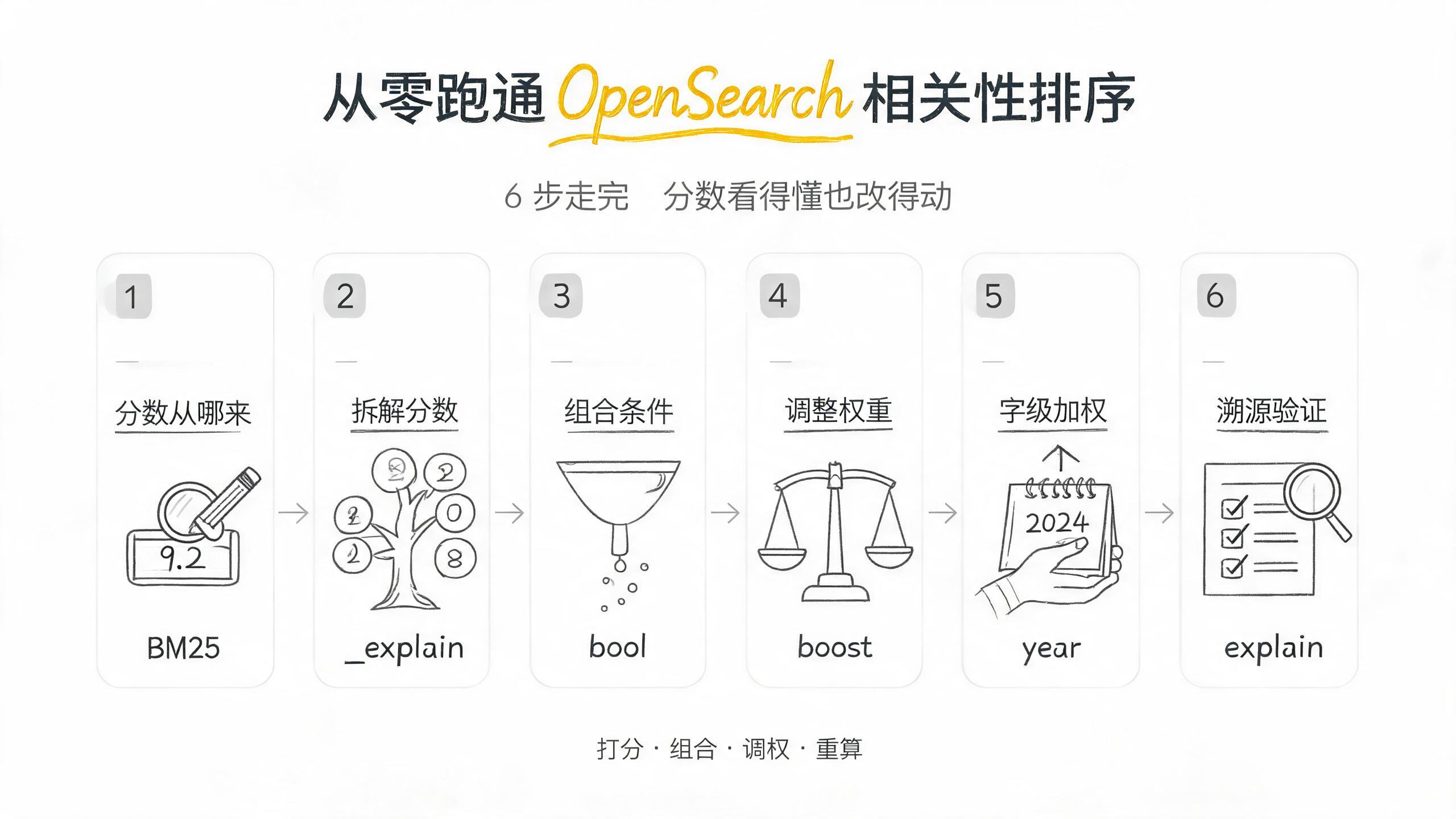
跟著這篇走完,你會搞清楚 OpenSearch 搜出來的順序到底是怎麼定的:_score 是 BM25 算出來的相關度分,你能用 bool 組合條件、用 boost 給不同子句不同權重、用 function_score 按字段值動態重算,最後用 explain 把每個分拆開看。整個過程 6 步,每步一條驗證命令。環境沿用從零跑通 OpenSearch 本地搜索服務:端口 9200、用戶 admin、密碼 Devfix@2026、索引 movies(5 條電影);你換了這些值替換掉就行。
這篇預設你已經跑通了第一篇——Docker 啟動、movies 索引的 5 條數據、match 搜索、curl 帶 -sk -u admin:Devfix@2026 的寫法全部複用,不再重複。第一篇的搜索返回裡每條命中都帶一個 _score,但沒解釋它從哪來、能不能改。這篇就補上這兩件事:先看懂它,再學會改它。跟聚合篇的分工說在前面:聚合解決「命中的文檔怎麼分組統計」(排的是桶),這篇解決「命中的文檔怎麼排序」(排的是文檔),兩者不重疊。
前置條件
| 項 | 要求 | 說明 |
|---|---|---|
| OpenSearch | 3.x(Docker latest 鏡像) | 單節點,security 開啟,HS 端口 9200 |
| movies 索引 | 已按第一篇建好並導入 5 條 | title=text / year=integer / genre=keyword |
| master key | admin / Devfix@2026 |
與系列一致,示例密碼 |
| curl | 任意版本 | 全文 curl 調 REST API |
先跑這條確認服務活著、movies 索引 5 條數據都在:
curl -sk -u admin:Devfix@2026 "https://localhost:9200/movies/_count?pretty"{
"count" : 5,
"_shards" : { "total" : 1, "successful" : 1, "skipped" : 0, "failed" : 0 }
}返回 "count": 5 就滿足條件。報連接失敗說明容器沒起來,回第一篇第二步;count 不是 5 說明數據沒導全,回第一篇第四步補。
第一步:復現 match 搜索,看懂 _score 的差異
搜 “wind rise”,你會看到返回體裡每條命中都帶一個 _score,而且三條命中的分數不一樣:
curl -sk -u admin:Devfix@2026 -X GET "https://localhost:9200/movies/_search?pretty" \
  -H "Content-Type: application/json" \
  -d '{ "query": { "match": { "title": "wind rise" } } }'
{
"hits": {
"total": { "value": 3, "relation": "eq" },
"max_score": 0.5023,
"hits": [
{ "_id": "1", "_score": 0.5023, "_source": { "title": "Let the Wind Rise", "year": 2013, "genre": "drama" } },
{ "_id": "3", "_score": 0.4119, "_source": { "title": "The Rise of Machines", "year": 2021, "genre": "scifi" } },
{ "_id": "2", "_score": 0.3987, "_source": { "title": "Gone with the Wind", "year": 1939, "genre": "drama" } }
]
}
}三條命中的排序是「兩個詞都含的」排最前(id1 的 _score 0.5023),「只含 rise 的」次之(id3,0.4119),「只含 wind 的」最後(id2,0.3987)。這個順序不是亂排的,_score 就是排序依據——OpenSearch 預設按 _score 從高到低返回。現在的問題是:0.5023 這個數從哪來的?
驗證命令:
curl -sk -u admin:Devfix@2026 -X GET "https://localhost:9200/movies/_search?pretty" \
  -H "Content-Type: application/json" \
  -d '{ "query": { "match": { "title": "wind rise" } } }' \
  | grep -o '"_score" : [0-9.]*'
輸出三個不同的正小數(0.5023 / 0.4119 / 0.3987),且各不相同,就說明相關性排序在工作。三條分數一樣才是例外,說明你的 title 字段可能沒正確映射成 text。
第二步:用 explain 拆解 _score(BM25 三個因子)
_score 不是黑箱。explain API 能把某個文檔對某個查詢的分數,拆成它每一部分的來源。給 id=1 加 explain: true 看它為什麼拿到 0.5023:
curl -sk -u admin:Devfix@2026 -X GET "https://localhost:9200/movies/_explain/1?pretty" \
  -H "Content-Type: application/json" \
  -d '{ "query": { "match": { "title": "wind rise" } } }'
返回的 explanation 是一棵樹,最外層是總分,往下逐層拆。OpenSearch 用的是 Okapi BM25 打分模型,一條文檔對一個詞的分,核心是三項相乘:詞頻(TF,這個詞在這條文檔裡出現幾次)、逆文檔頻率(IDF,這個詞在多少文檔裡出現過,越稀有越值錢)、字段長度歸一(fieldNorm,字段越短越值錢)。“Let the Wind Rise” 同時含 wind 和 rise 兩個詞,兩個詞都命中了,所以它的分最高;“The Rise of Machines” 只命中 rise,“Gone with the Wind” 只命中 wind,各只有一個詞貢獻,分就低一檔。
官方文檔對這個算法叫 BM25,是基於 Lucene 的 TF/IDF 框架改進來的。你不用記公式,記住結論就夠:「命中詞越多、詞越稀有、字段越短,分數越高」。下一句就是本文主線——既然分數是「算」出來的,那就有「改」它的辦法。
驗證命令:
curl -sk -u admin:Devfix@2026 -X GET "https://localhost:9200/movies/_explain/1?pretty" \
  -H "Content-Type: application/json" \
  -d '{ "query": { "match": { "title": "wind rise" } } }' \
  | grep -o '"value" : [0-9.]*' | head -1
返回的頂層 value 等於第一步裡 id1 的 _score(0.5023),說明 explain 拆出來的總和和搜索返回的分數對得上。對不上說明你兩處請求的查詢或文檔不一致。
第三步:bool 組合條件——filter 不參與打分,should 才是加分
一個 match 只能表達「匹配某字段」。想要「既要匹配標題、又只要 drama 類型、還想讓部分文檔加分」,用 bool 把多個子句組合起來。四個子句的分工:must(必須匹配,參與打分)、should(匹配則加分,不匹配也放行)、filter(必須匹配,但不參與打分)、must_not(必須不匹配)。關鍵在 filter 和 should 的差別——filter 只做「過不過」的篩選,不影響 _score;should 命中會加分。
先看 filter 過濾:只要 drama,看 _score 有沒有被 genre 影響:
curl -sk -u admin:Devfix@2026 -X GET "https://localhost:9200/movies/_search?pretty" \
  -H "Content-Type: application/json" \
  -d '{
    "query": {
      "bool": {
        "must":   [ { "match": { "title": "wind rise" } } ],
        "filter": [ { "term": { "genre": "drama" } } ]
      }
    }
  }'
{
"hits": {
"total": { "value": 2, "relation": "eq" },
"max_score": 0.5023,
"hits": [
{ "_id": "1", "_score": 0.5023, "_source": { "title": "Let the Wind Rise", "genre": "drama" } },
{ "_id": "2", "_score": 0.3987, "_source": { "title": "Gone with the Wind", "genre": "drama" } }
]
}
}注意兩件事:total 從 3 變成 2(scifi 的 id3 被 filter 擋掉了),但剩下的 id1、id2 的 _score 跟第一步一模一樣——filter 篩了文檔,卻一分沒加、一分沒減。這就是「filter 不參與打分」的直接證據。
再換成 should,讓「是 drama」這件事變成加分項:
curl -sk -u admin:Devfix@2026 -X GET "https://localhost:9200/movies/_search?pretty" \
  -H "Content-Type: application/json" \
  -d '{
    "query": {
      "bool": {
        "must":   [ { "match": { "title": "wind rise" } } ],
        "should": [ { "term": { "genre": "drama" } } ]
      }
    }
  }'
返回裡 id1、id2(都是 drama)的 _score 會比第一步高,id3(scifi)不變。這就是「組合條件」和「加分」的區別——要篩就 filter,要加就 should。這個認知是後面 boost 的地基。
驗證命令:
curl -sk -u admin:Devfix@2026 -X GET "https://localhost:9200/movies/_search?pretty" \
  -H "Content-Type: application/json" \
  -d '{"query":{"bool":{"must":[{"match":{"title":"wind rise"}}],"filter":[{"term":{"genre":"drama"}}]}}}' \
  | grep -o '"total" : { "value" : [0-9]*'
返回 "value": 2 就說明 filter 生效且只篩不干擾分數。
第四步:boost 調權——讓標題命中比類型命中更重要
上一步裡,should 的加分是「命中就加一樣的量」。但業務上「標題命中」往往比「類型命中」重要得多,需要給不同子句不同的權重,這就是 boost。直接在子句上寫 boost,把 title match 的權重抬到 genre 的 2 倍:
curl -sk -u admin:Devfix@2026 -X GET "https://localhost:9200/movies/_search?pretty" \
  -H "Content-Type: application/json" \
  -d '{
    "query": {
      "bool": {
        "must": [ { "match": { "title": { "query": "wind rise", "boost": 2 } } } ],
        "should": [ { "term": { "genre": { "value": "drama" } } } ]
      }
    }
  }'
此時 title 命中貢獻的分被放大兩倍,標題相關性的差距在最終排序裡被拉大;而 genre 命中只拿它本身的預設權重。boost 是「乘法權重」——寫 2 就是這一項的分乘 2。注意它必須寫在「參與打分」的子句(must / should / match)上,寫在 filter 裡會被直接忽略(這個坑見 FAQ 第 2 項)。
驗證命令:
curl -sk -u admin:Devfix@2026 -X GET "https://localhost:9200/movies/_search?pretty" \
  -H "Content-Type: application/json" \
  -d '{"query":{"bool":{"must":[{"match":{"title":{"query":"wind rise","boost":2}}}]}}}' \
  | grep -o '"max_score" : [0-9.]*'
max_score 相比第一步(0.5023)翻倍或明顯變大,說明 boost: 2 生效。沒變大就檢查 boost 是不是寫錯了位置。
第五步:function_score 按業務字段加權——分數能被「重算」
boost 是寫死的常數權重,能不能讓權重跟著文檔自身的字段走?比如「年份越新排越前」——這就要 function_score。它的結構是一個 query(決定哪些文檔命中)+ 一個或多個 functions(決定命中的文檔分數怎麼改)。這一步是全文的核心:分數不是「算完就定了」,而是可以「按業務字段動態重算」的。
先看最常用的兩個函數:weight 是整體翻倍,field_value_factor 是拿文檔某個數值字段當因子。
weight:整體放大
給所有命中整體乘 2:
curl -sk -u admin:Devfix@2026 -X GET "https://localhost:9200/movies/_search?pretty" \
  -H "Content-Type: application/json" \
  -d '{
    "query": {
      "function_score": {
        "query": { "match": { "title": "wind rise" } },
        "weight": 2
      }
    }
  }'
每條命中的 _score 變成原來的 2 倍。這個夠直白,但只能「整齊地翻」,不能「按字段區別對待」。
field_value_factor:讓年份新排前面
要讓「年份新」的排前面,用 field_value_factor 讀 year 字段,再配合 boost_mode: replace——把本來就有的相關性分整個替換成「年份因子」,排序就等價於按年份排了:
curl -sk -u admin:Devfix@2026 -X GET "https://localhost:9200/movies/_search?pretty" \
  -H "Content-Type: application/json" \
  -d '{
    "query": {
      "function_score": {
        "query": { "match": { "title": "wind rise" } },
        "field_value_factor": { "field": "year" },
        "boost_mode": "replace"
      }
    }
  }'
{
"hits": {
"total": { "value": 3, "relation": "eq" },
"max_score": 2021.0,
"hits": [
{ "_id": "3", "_score": 2021.0, "_source": { "title": "The Rise of Machines", "year": 2021, "genre": "scifi" } },
{ "_id": "1", "_score": 2013.0, "_source": { "title": "Let the Wind Rise", "year": 2013, "genre": "drama" } },
{ "_id": "2", "_score": 1939.0, "_source": { "title": "Gone with the Wind", "year": 1939, "genre": "drama" } }
]
}
}現在排序完全按 year 降序:2021 → 2013 → 1939,最新片 The Rise of Machines 排到了第一。_score 也直接變成了年份值——這就是 boost_mode: replace 的效果:完全別管相關性分,用函數算出來的值當最終分。
這裡藏著全文最該記住的一句話:boost_mode 決定「業務分數」和「相關性分」怎麼結合。預設是 multiply(兩個相乘,相關性仍然主導),改成 replace(用業務分數替換,完全按業務字段排)。想要「相關性為主、年份微調」,就保持 multiply 並給 field_value_factor 加 modifier(如 log1p——對「1 + 字段值」取對數,把 1939、2021 這種大數值壓到同一量級);想要「嚴格按年份排」,就 replace。想看按評分/票數加權,把 field 換成你的數值字段名即可。官方文檔線上可查 function_score。
驗證命令:
curl -sk -u admin:Devfix@2026 -X GET "https://localhost:9200/movies/_search?pretty" \
  -H "Content-Type: application/json" \
  -d '{"query":{"function_score":{"query":{"match":{"title":"wind rise"}},"field_value_factor":{"field":"year"},"boost_mode":"replace"}}}' \
  | grep -o '"max_score" : [0-9.]*'
max_score 等於最大的 year(2021.0),說明 replace 生效、排序已被年份接管。
第六步:用 explain 溯源 function_score 之後的分數
改完分數,怎麼證明它真的按我們想要的方式變了?explain 同樣能拆 function_score 之後的結果。給第五步那條請求加 explain: true(或直接對 id=3 發 _explain),看最終的 _score 是怎麼組合出來的:
curl -sk -u admin:Devfix@2026 -X GET "https://localhost:9200/movies/_explain/3?pretty" \
  -H "Content-Type: application/json" \
  -d '{
    "query": {
      "function_score": {
        "query": { "match": { "title": "wind rise" } },
        "field_value_factor": { "field": "year" },
        "boost_mode": "replace"
      }
    }
  }'
返回的 explanation 是一個 function score 節點,裡面能看到:一個子節點是 match 的相關性分,外面的 value 已經是「替換後」的年份值。看懂這一層,你就掌握了「改完還能驗」的閉環——explain 既能在改之前拆解 _score(第二步),也能在改之後確認結果(第六步)。
驗證命令:
curl -sk -u admin:Devfix@2026 -X GET "https://localhost:9200/movies/_explain/3?pretty" \
  -H "Content-Type: application/json" \
  -d '{"query":{"function_score":{"query":{"match":{"title":"wind rise"}},"field_value_factor":{"field":"year"},"boost_mode":"replace"}}}' \
  | grep -o '"value" : [0-9.]*' | head -1
返回的頂層 value 等於年份 2021.0,說明 function_score 的 replace 把分數替換成了年份值,溯源成功。
核心概念
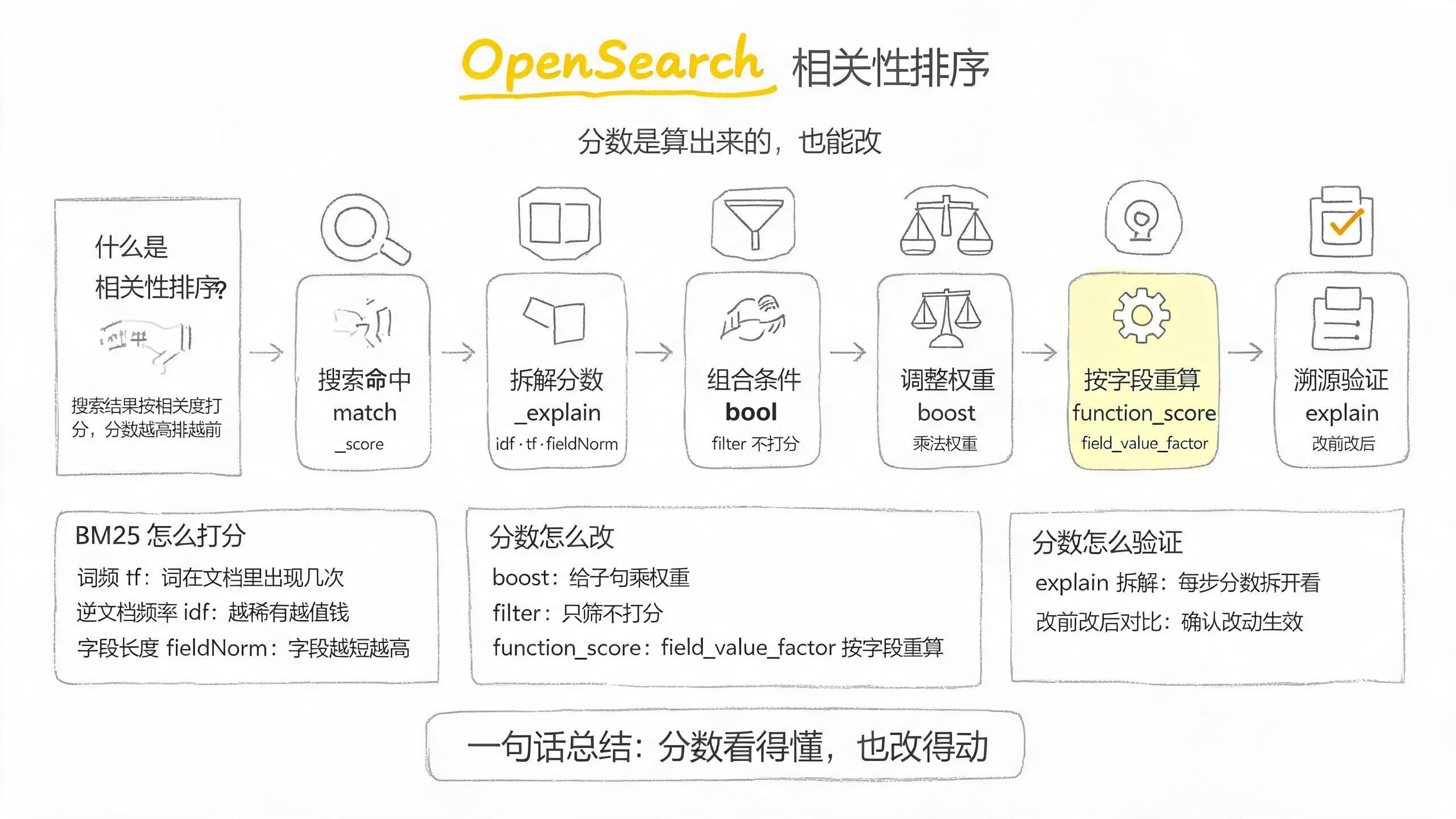
這張圖是白底鉛筆手繪風,分四層看:頂部的定義卡先給相關性排序一句話畫像;中間橫排的六張卡片從左到右就是正文六步,每張卡頂部的手繪圖標對應這一步的動作(放大鏡搜索、拆開的方塊拆解、漏斗組合、天平調權、齒輪重算、清單打勾驗證),卡上的英文術語是這一步的關鍵命令;底部的三個手繪方框是三組知識點的詳解——左框拆 BM25 打分的三個因子,中框列改分數的三種手段,右框是驗證分數的方法;淡黃色高亮的第五張卡片是全文承重的一步——用 function_score 按字段重算。
| 概念 | 是什麼 | 類比 |
|---|---|---|
_score |
BM25 算出的相關度分,是排序的預設依據 | 像考試總分,誰高誰排前 |
| BM25 | 打分模型,核心是 TF × IDF × 字段長度歸一 | 像「命中次數 × 關鍵詞稀有度 × 字段長度」的加權公式 |
| bool | 組合多個子句,must/should/filter/must_not | 像 SQL 的 WHERE(filter)+ 排序加分(should)混合 |
| boost | 給打分子句乘一個權重 | 像給某道題加分系數 2.0 |
| function_score | 一個查詢 + 一組改分函數,能按字段值重算分 | 像「先排序,再按業務字段重洗一遍」 |
| boost_mode | 決定業務分和相關性分怎麼結合(multiply / replace / sum…) | 像「兩步分是乘起來還是取其一」 |
要點回顧
_score是算出來的,不是玄學——BM25 的 TF × IDF × 字段長度歸一,explain能把它拆開看。- filter 不參與打分,should 才是加分——要「篩」用 filter,要「加」用 should;boost 寫在 filter 裡會被忽略。
- boost 是乘法權重——寫在 must / should / match 這類打分子句上才生效,寫 2 就是這項分乘 2。
function_score讓分數按業務字段動態重算——weight整體翻倍,field_value_factor讀文檔字段當因子。boost_mode決定業務分與相關性分怎麼結合——replace完全按業務字段排,multiply保留相關性主導。
常見問題
按字段排序後,返回體裡 _score 不見了
現象:給搜索加了 sort: [{ "year": "desc" }] 之後,返回體每條 hit 裡的 _score 字段消失了,max_score 也變成 null。
原因:OpenSearch 對「按字段排序」的場景預設不算相關性分——排序依據從 _score 換成了那個字段的值,_score 不再參與排序。開關是 track_scores,它預設 false。想讓分數和字段排序一起返回,加 "track_scores": true。
加了 boost 排名沒變
現象:給某類文檔寫 boost,返回順序和沒加時一模一樣。
原因:boost 大概率寫在了 filter 或 constant_score 這些「不參與打分」的子句裡,被直接忽略了。filter 只負責過濾,分數沒它的事。把 boost 挪到 must / should / match 這些打分子句上才生效。
function_score 忘了寫 query,返回了全庫
現象:用 function_score 想給文檔加權,結果把索引裡所有文檔都打回來了,每篇分數還都差不多。
原因:function_score 省略頂層 query 時,內部跑 match_all,每篇文檔的 base score 都是 1。命中範圍從來是由 query(或外層 bool)決定的,functions 只負責「改命中文檔的分」。給 function_score 補上顯式 query,或外層套 filter 限定範圍。
相關文章:OpenSearch function_score 忘寫 query 返回全庫:省略 query 即 match_all